
Comparing Orthotics Scanning: Structure Sensor vs. Shining 3D Einstar vs. EinScan Medixa
, by Hugh Sheridan, 7 min reading time
, by Hugh Sheridan, 7 min reading time
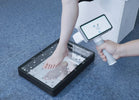
Here’s a practical comparison of three popular options—the Structure Sensor (Mark II/Pro/3), Shining 3D Einstar, and Shining 3D EinScan Medixa—with guidance on where each shines in the O&P workflow.
Orthotics & Prosthetics (O&P) teams want scans that are fast, safe, and repeatable on real patients in busy clinics. Here’s a practical comparison of three popular options—the Structure Sensor (Mark II/Pro/3), Shining 3D Einstar, and Shining 3D EinScan Medixa—with guidance on where each shines in the O&P workflow.
Clinic starters / mobile practitioners: Structure Sensor + iPad = most portable, lowest barrier to entry for leg/torso/FO scanning; great for moving off plaster quickly. Not ideal where sub-millimetric accuracy is critical (e.g., cranial).
General purpose handheld (entry-pro): Einstar = higher data quality than tablet sensors, eye-safe IR structured light, good speed/coverage at modest price; solid for shells/bracing, insoles and general shape capture.
O&P-dedicated, premium workflows: EinScan Medixa = built for O&P, wireless all-in-one with 5 MP texture, streamlined export and clinic-friendly ergonomics; best fit for multi-site providers standardizing digital pathways.
Accuracy & repeatability across soft tissue, under variable lighting.
Speed & working distance to capture a leg/torso fast before postural drift.
Texture capture to keep trim lines/pen marks in the 3D model.
Workflow fit (wireless, quick export, EMR/LIMS/CAD hand-off).
Patient safety & comfort (eye-safe light, minimal setup).
| Dimension | Structure Sensor (Mark II / Pro / 3) | Shining 3D Einstar | Shining 3D EinScan Medixa |
|---|---|---|---|
| Technology | IR structured light depth sensor for iPad; on-device depth processing | IR VCSEL structured light handheld | O&P-specific wireless all-in-one 3D scanner |
| Working range | ~0.25–5.0 m depending on model; FOV ~59° × ~50° (Mark II/Pro/3) | 160–1400 mm (optimal ~400 mm) | O&P clinical range; wireless use around patients |
| Speed | Real-time capture suitable for whole-limb forms | Up to ~980k pts/s, ≤14 FPS | Designed for fast clinical capture and seamless export |
| Texture | Depends on paired device/app | Yes (texture), eye-safe | 5 MP texture camera for high-res markings/pen lines |
| Notable points | Very portable, iPad ecosystem; widely used in O&P; Boston O&P cautions it’s not the best for cranial | Prosumer pricing, good quality/price balance | Purpose-built for O&P; wireless, clinic-friendly workflows |
Sources: Structure Sensor specs & use in O&P; Einstar specs (working distance, speed, point spacing); Medixa O&P launch/features & texture camera.
Why O&P teams choose it: attaches to an iPad, is light (≈65 g for Mark II/Pro), and captures limb/torso geometry quickly at the bedside or in outreach settings. Recommended working range roughly 0.25–5 m (model-dependent), with on-device depth processing for smooth real-time capture. Great as a first step away from plaster.
Caveats: accuracy and Z-axis noise are generally behind higher-end handhelds; for detailed cranial work it’s not the preferred tool (noted by O&P providers). Accessory brackets/cables and iPad model matching are additional considerations.
Why O&P teams choose it: eye-safe IR structured light, generous working distance (160–1400 mm; optimal ≈400 mm), wide FOV (up to ~434 × 379 mm), and fast capture (~980k points/s). Better surface detail than tablet depth sensors, helpful for trim-line fidelity and soft-tissue shaping. Attractive price/performance for clinics scaling digital.
Caveats: tethered handheld (cable to host laptop), so cable management and workstation spec matter; outdoor bright light can still challenge IR systems (though Einstar advertises stable outdoor scanning).
Why O&P teams choose it: designed specifically for O&P with wireless, all-in-one hardware, 5 MP texture for high-resolution pen marks/landmarks, and workflow features aimed at rapid clinic throughput and export to O&P CAD/CAM. Ideal for standardizing across multi-site teams and mixed indications (AFO/KAFO, spinal, prosthetic sockets, insoles).
Caveats: positioned as a premium O&P device; pricing and availability are consistent with that. Confirm integration with your existing CAD/CAM or fabrication partners.
AFO/KAFO shells & spinal orthoses
Structure Sensor: good for quick capture in clinic rooms where minimal setup is key.
Einstar: improved detail and texture for trim lines; better for complex geometries than tablet sensors.
Medixa: best for clinics seeking repeatability and rapid export with clear pen-mark textures—useful when multiple clinicians share a standard method.
Prosthetic sockets / residual limb
Structure Sensor: feasible and widely used, but verify repeatability for critical fits.
Einstar: stronger choice when you need more surface fidelity and robust alignment modes.
Medixa: built for O&P—wireless workflow reduces cables around patients and speeds capture.
Cranial (helmet) work
Structure Sensor: provider guidance notes it’s not recommended for cranial—use higher-accuracy handhelds.
Einstar / Medixa: better candidates; confirm with demo scans and accuracy validation for your method.
Single-site clinic, tight budget, high mobility: start with Structure Sensor + iPad to digitize casts and insoles fast; build staff familiarity with scanning and digital orders. Plan to add a higher-end handheld later for complex cases.
Growing clinic, mix of devices, value focus: Einstar offers a big step up in geometry/texture fidelity and speed without premium pricing. Good “workhorse” for most orthoses and many sockets.
Enterprise / multi-site provider, standardization & throughput: Medixa aligns best with O&P-specific workflows (wireless, 5 MP texture, streamlined export), reducing variability across teams and clinics. Schedule an on-site evaluation with your CAD/CAM vendor.
Accuracy & repeatability on your indications (e.g., transtibial socket vs. spinal TLSO).
Texture fidelity for pen marks/landmarks (especially on darker stockings/skins).
Software pipeline: alignment modes, watertight mesh creation, and one-click export to your CAD/CAM or fabrication partner.
Clinic ergonomics: wireless vs. tethered, battery life, scan time per limb, disinfecting.
Support & training: vendor response times, loaner units, and local distributor support.

Digital orthotics can dramatically reduce the hidden costs of manual grinding, including technician time, material waste, inconsistent output and limited production capacity. This article explores...

The rise of smartphone scanning and 3D printing for custom insoles poses challenges for O&P clinics, highlighting the need for modernization in patient care.

Explore the balance between digital innovation and manual skills in prosthetics and orthotics,